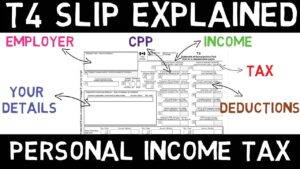
If it’s late April 2027, and you’re staring at a stack of T4s, RRSP contribution receipts, and donation slips, wondering if you should shell out $150+ for an accountant or try that free tax software your coworker mentioned. If you’re searching for a thorough Wealthsimple Tax review Canada has to offer, you’re in the right place. This guide breaks down exactly what Wealthsimple Tax does well, where it falls short, and whether it’s the right choice for your 2026 tax return. You’ll learn who benefits most, what deductions you might miss, and how it stacks up against paid alternatives and professional accountants.
Quick Answer:
- Wealthsimple Tax is genuinely 100% free for all tax situations — no hidden fees, no locked features, and no forced upgrades for complex returns
- It works best for Canadians with simple to moderate tax situations: T4 employment income, RRSP/TFSA contributions, basic investment income, and standard deductions
- Self-employed individuals, rental property owners, and those with complex capital gains may benefit from professional help to maximize deductions
- For the 2026 tax year, your filing deadline is April 30, 2027 (or June 15, 2027 if self-employed), with payments due April 30, 2027
What Is Wealthsimple Tax and Why Should Canadians Consider This Free Tax Software in 2026?

Wealthsimple Tax (formerly SimpleTax) is a completely free, online tax preparation and filing software designed specifically for Canadians. Unlike many “free” tax tools that lock essential features behind paywalls, Wealthsimple Tax offers its full suite of features to everyone — whether you’re a student filing your first return or a professional with investment income, RRSP contributions, and charitable donations.
The platform operates on a pay-what-you-want model. After filing, you can choose to donate any amount (including $0) to support the service. This approach has made it one of the most popular free tax software Canada options in 2026, with a large and growing number of Canadians using it each filing season.
Key Features That Set It Apart
Wealthsimple Tax uses an interview-style interface that asks you simple questions rather than requiring you to know tax form numbers. As you answer, it automatically populates the correct forms and schedules. The software includes Auto-fill My Return, which imports your tax slips directly from the Canada Revenue Agency with a single click — no manual data entry for T4s, T5s, T3s, or RRSP contribution receipts.
Other standout features include real-time refund tracking (you see your refund or balance owing update as you enter information), automatic optimization for provincial and federal credits, and instant NETFILE submission. The platform also handles Quebec returns through a separate Revenu Québec submission, making it one of the few free options covering all provinces and territories.
2026 Tax Filing Deadlines You Need to Know
For your 2026 tax return, the standard filing deadline is April 30, 2027. If you or your spouse/common-law partner is self-employed, you have until June 15, 2027 to file — but here’s the catch: any taxes owing are still due April 30, 2027. Missing this payment deadline means interest charges and potential penalties, so even if you qualify for the extended filing deadline, don’t delay your payment.
Understanding these dates matters because Wealthsimple Tax makes last-minute filing remarkably easy. You can complete and submit a straightforward return in under 30 minutes, making it a solid choice even if you’ve procrastinated until deadline day.
Is Wealthsimple Tax the Best Free Tax Filing Canada Option for Your Situation?
The answer depends entirely on your tax complexity. Wealthsimple Tax excels for certain profiles while falling short for others. Let’s break down who benefits most and who might need alternatives.
Ideal Users for Wealthsimple Tax
You’ll likely have an excellent experience with Wealthsimple Tax if you fall into any of these categories:
Employees with T4 income: Whether you work for one employer or several, Wealthsimple Tax handles multiple T4s effortlessly. The Auto-fill feature imports them directly, and the software automatically calculates CPP/EI overpayments if you’ve exceeded maximums across multiple jobs.
RRSP and TFSA contributors: The platform accurately tracks your RRSP contribution room and optimizes when to claim deductions. For 2026 tax year contributions, the RRSP limit is 18% of your previous year’s (2025) earned income, up to a maximum of $33,810 (an increase from $32,490, which applied to 2025 contributions based on 2024 income). See CRA’s official RRSP deduction page for the current rules. The TFSA limit remains $7,000 annually, with a cumulative lifetime contribution room of approximately $109,000 as of 2026 for those eligible since 2009.
First-time home buyers using the FHSA: The First Home Savings Account allows $8,000 in annual contributions up to a $40,000 lifetime maximum. Wealthsimple Tax properly handles FHSA contributions, deductions, and the interplay with the Home Buyers’ Plan if you’re using both strategies.
Students and recent graduates: The software maximizes tuition credits, education amounts, and properly handles student loan interest deductions. It also correctly transfers unused credits to parents or grandparents when beneficial.
Canadians with investment income: Basic T3 and T5 slips for dividends, interest, and capital gains distributions are handled smoothly. The software correctly applies the dividend tax credit and tracks adjusted cost base for simple portfolio situations.
Where Wealthsimple Tax May Fall Short
While powerful for most Canadians, the platform has limitations that might push certain users toward paid software or professional help:
Self-employed individuals with complex businesses: Basic self-employment income works fine, but if you have inventory, employees, or complex expense allocations between personal and business use, you may find the interface limiting. The T2125 form handling is functional but not as robust as dedicated small business tax software.
Rental property owners: While Wealthsimple Tax supports T776 rental income forms, it doesn’t provide the same level of guidance for capital cost allowance (CCA) optimization or complex expense categorization that paid alternatives offer.
Active traders with complex capital gains: If you have dozens or hundreds of stock trades, cryptocurrency transactions, or need to track superficial losses, the manual entry process becomes tedious. The software handles ACB calculations, but you need to input data correctly — there’s no automatic import from brokerages for trading history.
Foreign income situations: T1135 foreign property reporting, foreign tax credits, and income from non-Canadian sources require careful attention that the simplified interface doesn’t always support well.
Wealthsimple Tax vs Accountant: Which Should You Choose in 2026?
This is the question that brings most Canadians to any Wealthsimple Tax review Canada search results. The honest answer is nuanced: the right choice depends on your tax complexity, comfort level with financial software, and the value of your time.
When Free Software Makes Sense
For straightforward tax situations, professional accounting fees (typically $150–$400 for personal returns in 2026) provide minimal added value. If your income comes primarily from T4 employment, your deductions are limited to RRSP contributions and charitable donations, and you don’t have rental properties or self-employment income, Wealthsimple Tax handles everything a human accountant would — at no cost.
The Auto-fill feature eliminates most data entry errors, and the software’s built-in optimization catches credits many Canadians miss: the Canada Workers Benefit, the Canada Groceries and Essentials Benefit (which replaced the GST/HST credit in July 2026), and provincial credits. In many cases, free software matches or exceeds what an overworked accountant rushing through returns during tax season might catch.
When Professional Help Justifies the Cost
An accountant becomes valuable when their expertise generates savings that exceed their fees. Consider professional help if:
You’re self-employed: A knowledgeable accountant ensures you’re claiming every legitimate business expense — home office deductions, vehicle expenses, professional development — and structuring your business optimally. The difference between proper and improper expense categorization can easily exceed $1,000 in tax savings.
You own rental properties: CCA strategies, interest deductibility rules, and the capital gains implications of eventual sale require expertise. Getting this wrong can cost thousands.
You’ve experienced major life changes: Marriage, divorce, death of a spouse, immigration/emigration, or receiving an inheritance create tax situations where professional guidance prevents costly mistakes.
You’re in the highest tax brackets: With confirmed 2026 federal tax rates reaching 33% on income over $258,482 (plus provincial taxes pushing combined rates above 50% in some provinces), high earners benefit from proactive tax planning that goes beyond annual filing. Remember, the first $58,523 is taxed at 14% federally, income from $58,523 to $117,045 at 20.5%, income from $117,045 to $181,440 at 26%, and income from $181,440 to $258,482 at 29% — strategic planning at these thresholds matters.
The Hybrid Approach
Many savvy Canadians use a hybrid approach: file with Wealthsimple Tax for routine years, but consult an accountant when circumstances change significantly. You might also use free software to prepare your return, then pay for a one-time professional review before filing — a service some accountants offer for $50–$100.
Comparison: Wealthsimple Tax vs Other Free Tax Software Canada Options
Wealthsimple Tax isn’t the only free option for Canadians, though it’s often considered the most polished. Here’s how it compares to major alternatives for the 2026 tax year:
| Feature | Wealthsimple Tax | TurboTax Free | H&R Block Free | StudioTax |
|---|---|---|---|---|
| Truly free (all features) | Yes — pay what you want | No — basic returns only | No — upsells for additional forms | Yes — donation requested |
| Auto-fill My Return (CRA import) | Yes | Yes | Yes | Yes |
| Self-employment (T2125) | Free | Paid upgrade required | Paid upgrade required | Free |
| Rental income (T776) | Free | Paid upgrade required | Paid upgrade required | Free |
| Investment income (T3/T5) | Free | Free for basic | Free for basic | Free |
| Quebec returns (TP-1) | Free | Paid upgrade | Paid upgrade | Free |
| Mobile app filing | Yes (web-based, mobile optimized) | Yes | Yes | No (desktop only) |
| Interface design | Modern, clean | Modern, guided | Modern, step-by-step | Functional, dated |
| Best for | Most Canadians | Very simple returns | Very simple returns | Tech-comfortable users |
The key distinction is that Wealthsimple Tax and StudioTax offer genuinely complete free versions, while TurboTax Free and H&R Block Free frequently push users toward paid tiers once they add forms for self-employment, rental income, or detailed investment reporting. If you’re comparing best free tax filing Canada options and have anything beyond a basic T4 return, Wealthsimple Tax typically wins on value.
How to File Your 2026 Taxes With Wealthsimple Tax: Step-by-Step

Ready to try Wealthsimple Tax for your 2026 return? Here’s exactly what to expect from start to finish.
Step 1: Create Your Account and Import Your Data
Sign up at Wealthsimple.com using your email. If you already use Wealthsimple Trade or Wealthsimple Cash, your same login works. Once in, you’ll connect to the CRA using your credentials (the same you use for CRA My Account). This enables Auto-fill My Return, which imports all tax slips the CRA has on file — typically T4s, T5s, T3s, RRSP receipts, and T4As.
The import usually takes less than a minute and eliminates manual data entry errors. However, verify everything imported correctly, as occasionally employers submit corrected slips after the initial filing. Compare imported amounts against your paper or PDF copies.
Step 2: Answer the Interview Questions
Rather than presenting blank tax forms, Wealthsimple Tax asks plain-language questions: “Did you make any RRSP contributions?” “Did you pay for medical expenses?” “Did you donate to registered charities?” Based on your answers, it shows only relevant sections.
For each section, you’ll enter amounts, attach slips (if needed for records), and watch your refund or balance owing update in real-time. The software automatically optimizes certain choices — for example, deciding whether to claim RRSP deductions this year or carry them forward if you expect higher income in future years.
This is also where you’ll enter information not available through Auto-fill: self-employment income and expenses, rental income, moving expenses, childcare costs, and similar items that require manual input — including home office expenses, which must be entered manually with supporting details.
Step 3: Review Your Return and Optimize
Before filing, Wealthsimple Tax displays a summary showing your total income, deductions, credits, and final refund or balance owing. Review each section carefully. The platform highlights potential issues — missing information, unusual entries, or optimization opportunities.
Pay particular attention to:
RRSP deduction optimization: If you’re in a lower tax bracket now but expect higher income soon, carrying forward deductions might save more tax later. Wealthsimple Tax suggests this but doesn’t force it.
Spousal credit transfers: If you have a spouse or common-law partner, certain credits transfer between you for maximum benefit. The software handles this automatically but review the allocations.
Provincial credits: Each province has unique credits. Ensure the software detected your province of residence correctly and applied all available credits.
Step 4: NETFILE Your Return
Once satisfied, click the NETFILE button to submit directly to the CRA. You’ll receive a confirmation number within seconds. For Quebec residents, you’ll complete a second submission to Revenu Québec through the same interface.
After filing, download and save your completed return (the software stores it, but keeping your own copy is wise). For direct deposit refunds, ensure your banking information is current with the CRA — you can verify this through CRA My Account.
Step 5: Track Your Refund
Most NETFILE returns process within two weeks during non-peak periods, though April filings may take four to eight weeks. Track your refund status through CRA My Account or the MyCRA mobile app. Wealthsimple Tax doesn’t provide refund tracking after filing — you’ll need to check directly with the CRA.
Common Mistakes and Missed Deductions When Using Free Tax Software
While Wealthsimple Tax catches many deductions automatically, certain tax-saving opportunities require you to actively input information. Here’s what users commonly miss — and how to avoid leaving money on the table.
Overlooked Deductions and Credits
Medical expenses: Canadians can claim medical expenses exceeding 3% of net income (or approximately $2,814 in 2026, whichever is less). This includes premiums for private health insurance, prescription medications, dental work, glasses/contacts, and travel expenses for medical appointments. Many people don’t bother tracking these throughout the year, but they add up quickly — especially for families.
Home office expenses — important correction: If you work from home, you may qualify for home office deductions, but only through the detailed method for the 2026 tax year. The simplified flat-rate method ($2 per day worked from home, up to $500) was a temporary pandemic-era measure that expired after the 2022 tax year and is no longer available. For 2026, you must calculate actual expenses (the percentage of your home used for work applied to rent, utilities, and similar costs) and have your employer complete and sign Form T2200. Wealthsimple Tax supports this detailed method, but there’s no flat-rate shortcut anymore.
Professional dues and union fees: These are fully deductible but don’t appear on Auto-fill imports. Check your pay stubs or union statements for annual amounts paid.
Moving expenses: If you moved at least 40 kilometers closer to a new job or post-secondary school, moving costs are deductible against income earned at the new location. This includes transportation, temporary living, and even costs to sell your previous home.
Canada Training Credit: If you’re between 25 and 65, you accumulate $250 annually in training credit (up to $5,000 lifetime) that can offset tuition and training fees. Many eligible Canadians don’t claim this because they’re unaware it exists.
Data Entry Errors to Avoid
Incorrect RRSP contribution amounts: Auto-fill imports your contribution room, but you must manually enter contributions made in the first 60 days of the current year (which count toward the previous tax year). Double-check your contribution slips against entered amounts.
Missing T-slips: The CRA receives T-slip data from employers and financial institutions on different schedules. If you file early (late February or early March), some slips may not appear in Auto-fill yet. Wait until mid-March for more complete imports, or verify you’ve captured all slips manually.
Provincial residency: Your province of residence on December 31st determines your provincial tax rates. If you moved during the year, ensure the software reflects your correct year-end province.
Marital status changes: Getting married, becoming common-law, separating, or becoming widowed affects numerous credits and deductions. Update your marital status accurately — the CRA cross-references this, and errors trigger reassessments.
When to Seek a Second Opinion
Even if you use free software, consider having a professional review your return before filing if:
- Your return results in significantly more or less refund than previous years without obvious explanation
- You have complex situations (foreign income, significant capital gains, business losses) that you’re uncertain how to report
- You’re claiming something for the first time and want confirmation you’ve done it correctly
- The CRA has previously reassessed your returns or requested additional documentation
A brief professional review ($50–$100) can provide peace of mind and catch errors before they trigger CRA attention. This hybrid approach gives you the cost savings of free software with professional oversight for unusual situations.
Key Takeaways
- Wealthsimple Tax is 100% free for all Canadians regardless of tax complexity — no hidden fees or forced upgrades, making it the best free tax filing Canada option for most users
- The 2026 tax filing deadline is April 30, 2027, with payments also due April 30, 2027 (self-employed filers can file until June 15, 2027, but must still pay by April 30)
- Auto-fill My Return imports your T4s, T5s, T3s, and RRSP receipts directly from the CRA, eliminating manual entry errors for most tax slips
- The software works best for employees, students, and those with straightforward investment income; self-employed individuals and rental property owners may benefit from professional help to maximize deductions
- Important correction: the $2/day home office flat-rate method expired after 2022 — only the detailed method with a signed T2200 is available for your 2026 return
- Commonly missed deductions include medical expenses over 3% of net income (or ~$2,814), professional dues, moving expenses, and the Canada Training Credit — actively track these throughout the year
- The 2026 RRSP contribution limit is $33,810, and the top federal tax bracket (33%) applies above $258,482
Frequently Asked Questions
Is Wealthsimple Tax really free or are there hidden fees?
Yes, Wealthsimple Tax is genuinely 100% free with no hidden fees. Unlike TurboTax Free or H&R Block Free, which lock self-employment forms, rental income reporting, and other features behind paid upgrades, Wealthsimple Tax includes every feature for every user at no cost. After you file, you’re invited to make a voluntary donation of any amount (including zero) to support the service. You can complete and submit even complex returns — including T2125 self-employment, T776 rental income, and detailed investment reporting — without ever being asked to pay.
What deductions does Wealthsimple Tax commonly miss?
Wealthsimple Tax doesn’t technically “miss” deductions — but it can only claim what you tell it about. The most commonly missed deductions are those requiring manual input: medical expenses (which don’t appear on any tax slip), home office expenses under the detailed method (note: the old $2/day flat-rate shortcut no longer exists), professional and union dues, moving expenses for work or school relocation, childcare costs, and the Canada Training Credit. The software prompts you to enter these, but if you skip past the questions or don’t realize you qualify, you’ll miss the deductions.
Should I use Wealthsimple Tax or pay an accountant in 2026?
For most Canadians with straightforward tax situations — T4 employment income, RRSP and TFSA contributions, basic investment income, and standard deductions — Wealthsimple Tax handles everything an accountant would, at no cost. However, an accountant becomes worthwhile when their expertise saves you more than their fees: typically for self-employed individuals with significant business expenses, rental property owners navigating CCA and capital gains, those with foreign income or assets, or anyone experiencing major life changes like divorce, inheritance, or immigration. The break-even point is usually around $500–$1,000 in potential additional tax savings — if a professional can find that much, their $150–$400 fee pays for itself.
This Wealthsimple Tax review Canada guide has shown that free tax filing is a legitimate, powerful option for millions of Canadians in 2026. For most workers with T4 income, basic investments, and standard deductions, Wealthsimple Tax delivers professional-quality results without the professional-level price tag. Whether you’re filing your first return or your twentieth, the platform’s intuitive interface and comprehensive features make tax season far less painful than it used to be. As with any financial decision, the right choice depends on your specific situation — but for most Canadians, free filing is absolutely worth it.
Get free Canadian money tips every week
TFSA updates, CRA changes, mortgage strategies — straight to your inbox every Thursday. No spam, unsubscribe anytime.
Certified Financial Planner (CFP) and Chartered Investment Manager (CIM) with over 17 years of experience in Canadian personal finance. Spent 10+ years at one of Canada's Big Five banks, the last 7 focused exclusively on high-net-worth clients. Every guide is written with the same depth I bring to real client work — Canada-specific, CRA-verified, and always free.
Disclaimer: This article is for informational and educational purposes only and does not constitute financial, tax, or legal advice. Always consult a qualified financial advisor or tax professional for personalized advice.