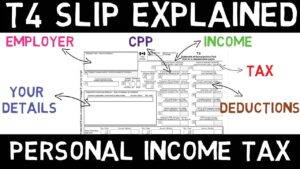
Wealthsimple Tax vs TurboTax Canada — which free tax software should you use for your 2026 return? If you’re Googling this question, you’re likely a first-time filer or someone who’s done their own taxes for years and wants to make sure you’re not leaving money on the table. The stakes are higher than you might think: “saving” money on professional fees by doing it yourself can cost Canadians far more through missed opportunities and penalties if you’re not careful. This guide breaks down exactly which software wins for your situation, the five costliest DIY mistakes in 2026, and when it’s finally time to call in a professional.
Quick Answer:
- Wealthsimple Tax is genuinely free for all Canadians with any return type, while TurboTax charges $24.99+ for most useful features beyond basic T4 income in 2026
- Both handle RRSPs, TFSAs, and T4s well, but rental income and self-employment push TurboTax users toward paid tiers
- DIY filing makes sense if you have straightforward T4 income; hire an accountant if you have rental properties, business income over $30,000, or multiple income streams
- The most expensive 2026 mistakes: potentially missing bare trust reporting (verify current requirements), triggering the updated AMT rules, and forgetting provincial credits worth hundreds
What’s the Real Difference Between Wealthsimple Tax vs TurboTax Canada in 2026?

Let’s cut through the marketing. Both platforms promise to make tax filing easy, but their pricing models and feature sets have diverged significantly. Understanding these differences could save you anywhere from $30 to several hundred dollars depending on your tax situation.
Wealthsimple Tax: The “Pay What You Want” Model
Wealthsimple Tax (formerly SimpleTax) remains one of the only genuinely free options for Canadians. There’s no paywall before you file, no locked features based on your income level, and no surprise charges at the end. You can file a return with RRSP contributions, TFSA activity, T4 slips, self-employment income, and rental income without paying a cent. After you file, Wealthsimple asks for a voluntary donation — but you can enter $0 and submit without judgment.
The platform automatically imports your tax slips directly from the CRA through Auto-fill My Return, and its interface is clean and intuitive. For filers with uncomplicated returns, this is often the fastest path from “I should probably do my taxes” to “done.”
TurboTax Canada: The Tiered Upsell Approach
TurboTax starts free but quickly becomes expensive. The “Free” tier handles only the most basic returns — think a single T4 and nothing else. The moment you add RRSP contributions, investment income, rental properties, or self-employment, you’re looking at paid tiers ranging from roughly $24.99 (Basic) to $139.99 (Self-Employed).
TurboTax does offer more hand-holding. Its interview-style questions walk you through every scenario, and its optional audit support features can be worth the price for nervous first-timers. But for most straightforward returns, you’re paying for guidance rather than additional core functionality.
Other Free Tax Software Options in 2026
Wealthsimple Tax and TurboTax aren’t your only choices. H&R Block’s free software handles most simple returns. StudioTax remains popular among DIYers who prefer desktop software. GenuTax offers a completely free, CRA-certified option. That said, Wealthsimple Tax and TurboTax dominate the market for good reason — they’re the most polished and regularly updated.
Which Tax Software Is Best for Your Situation in 2026?
The best tax software for you depends entirely on what you’re filing. Here’s how to match your situation to the right tool — and when software alone isn’t enough.
If You Have Simple T4 Income Only
Use Wealthsimple Tax. You’ll pay nothing, Auto-fill will import your slips in seconds, and you’ll typically be done in under 30 minutes. TurboTax Free technically works here too, but there’s little reason to risk getting funneled toward a paid tier.
If You Contribute to an RRSP or FHSA
Wealthsimple Tax handles both RRSP contributions and First Home Savings Account (FHSA) deductions seamlessly. Your contribution room appears automatically if you use Auto-fill, and the software calculates optimal deduction strategies.
If You Have Investment Income (Dividends, Capital Gains)
Both platforms handle T5 slips and capital gains reasonably well for casual investors. However, if you’re actively trading or have complex adjusted cost base calculations, neither software is foolproof. You’ll need to manually track your ACB for any securities not held in registered accounts (TFSA, RRSP, FHSA).
If You’re Self-Employed or Have Side Hustle Income
This is where free tax software starts showing its limits. Both platforms can file self-employment income, but you’re responsible for tracking expenses, calculating home office deductions correctly (using the detailed method with a signed T2200 — the pandemic-era flat rate expired after 2022), and knowing when you’ve crossed the $30,000 GST/HST registration threshold. Miss that registration requirement, and you could face meaningful penalties from the CRA.
If You Earn Rental Income
Rental income adds complexity that tax software handles inconsistently. You can technically file a T776 through either platform, but calculating capital cost allowance, splitting expenses for a basement rental, and allocating personal-use portions requires careful attention. One mistake here can cost you thousands in missed deductions or trigger CRA scrutiny.
Wealthsimple Tax vs TurboTax Canada: Head-to-Head Comparison
| Feature | Wealthsimple Tax | TurboTax Canada |
|---|---|---|
| Base Price (Simple Return) | Free (pay what you want) | Free tier available, but limited |
| Price for RRSP/Investment Income | Free | $24.99+ (Basic tier) |
| Price for Self-Employment | Free | $139.99 (Self-Employed tier) |
| Auto-fill from CRA | Yes | Yes |
| Mobile App | Yes (full functionality) | Yes (full functionality) |
| Audit Support | No built-in support | Optional add-on |
| Interface Style | Checklist-based, minimal | Interview-style, detailed |
| NETFILE Certified | Yes | Yes |
| Provincial Returns Included | Yes | Yes |
The pricing difference is stark. A self-employed Canadian using TurboTax pays $139.99 for what Wealthsimple Tax offers free. The main trade-off is TurboTax’s more comprehensive guidance — but if you’re comfortable following a checklist and have straightforward income, that guidance often isn’t worth the added cost.
The 5 Costliest DIY Tax Filing Mistakes Canadian Families Make in 2026
Here’s where DIY filing gets risky. According to financial professionals, these mistakes are costing Canadian families the most money in 2026.
Mistake #1: Missing Bare Trust Reporting Requirements (Verify Current Status)
Bare trust reporting rules originally set to take effect in 2023–2024 caught many Canadians off guard. If you hold property or investments in trust for someone else — even informally, like managing a child’s investment account — you may need to file a T3 return.
⚠️ Important caveat: the CRA has, at various points, granted broad exemptions to these requirements after widespread confusion about their scope, given how many ordinary family arrangements technically qualified as “bare trusts.” Given the complex and evolving history of this specific rule, verify the current filing requirement directly through the CRA’s official bare trust guidance before assuming you do or don’t need to file for the 2026 tax year — don’t rely on any single source’s summary, including this one, without checking current CRA guidance first.
Mistake #2: Triggering the Updated Alternative Minimum Tax (AMT)
Federal AMT reforms increased the AMT rate and expanded the base of income subject to it. If you have significant capital gains, large RRSP withdrawals, or stock option benefits in the same year, you might trigger AMT even if you’ve never worried about it before.
Tax software calculates AMT automatically, but it doesn’t always warn you before you make decisions that trigger it. This is particularly relevant if you’re considering a large RRSP withdrawal, selling appreciated investments, or exercising stock options. Running multiple scenarios before year-end — or consulting a professional — can help you avoid an unpleasant surprise.
Mistake #3: Not Understanding How 2026 Federal Tax Brackets Work
The confirmed 2026 federal tax brackets are:
- $0 to $58,523: 14%
- $58,523.01 to $117,045: 20.5%
- $117,045.01 to $181,440: 26%
- $181,440.01 to $258,482: 29%
- Over $258,482: 33%
Note that the lowest bracket dropped from 15% to 14% effective July 1, 2025 — 2026 is the first full year at the reduced rate.
The mistake isn’t misunderstanding which bracket you’re in — software handles that. The mistake is failing to optimize around bracket boundaries. If you’re earning $60,000, contributing an extra $1,477 to your RRSP drops your taxable income below the 20.5% threshold (verified: $60,000 − $58,523 = $1,477), saving you an extra 6.5 percentage points on those specific dollars (20.5% minus 14%). Tax software won’t suggest this optimization on its own; understanding how brackets actually work is on you.
Mistake #4: Missing Provincial Credits and Benefits
Every province offers credits that DIY filers frequently miss. Ontario’s Trillium Benefit alone can be worth over $1,000 annually for eligible families. Quebec has an entirely separate tax system with its own credits.
Free tax software includes provincial returns, but it can only claim credits you tell it about. Rent paid, property taxes, energy costs, transit passes (where applicable), and childcare expenses all have provincial components that require manual entry. Miss these, and you’re leaving real money on the table.
Mistake #5: Overlooking Carry-Forward Amounts
Unused RRSP contribution room carries forward indefinitely. Unused tuition credits carry forward until used. Capital losses carry back three years or forward indefinitely. Non-capital losses have specific carry-forward periods.
Auto-fill imports your current year’s contribution room but doesn’t always capture historical unused amounts. If you’ve been filing yourself for years without tracking these, you might have significant unused credits or contribution room. A one-time professional review can identify these opportunities.
How to File Taxes Yourself in Canada Without Making Expensive Errors
If you’ve decided to file yourself using free tax software, follow this process to minimize your risk of costly mistakes.
Step 1: Gather All Your Documents Before Starting
Don’t rely solely on Auto-fill. The CRA’s system doesn’t always have all your slips — especially from smaller employers or financial institutions. Collect:
- T4 slips from all employers
- T5 slips for investment income
- T3 slips for trust income
- RRSP contribution receipts (check against your Notice of Assessment for room)
- FHSA contribution receipts
- T2202 for tuition (or carry-forward amounts from previous years)
- Rent receipts or property tax statements (for provincial credits)
- Childcare receipts
- Medical expense receipts above ~$2,814 (2026 threshold, up from $2,759 in 2025) or 3% of net income, whichever is less
- Charitable donation receipts
Step 2: Use Auto-Fill, Then Verify Every Slip
Connect to CRA My Account through your tax software and import your slips. Then compare what Auto-fill imported against the documents you gathered. Discrepancies aren’t uncommon — employers sometimes file corrected slips, or slips from late-reporting institutions may not appear until March.
Step 3: Check Your Previous Notice of Assessment
Your most recent Notice of Assessment (NOA) contains critical information:
- Your RRSP contribution room, including unused room from previous years
- Unused tuition credit carry-forwards
- Any amounts you owe or are owed from previous years
- Your Home Buyers’ Plan repayment schedule, if applicable
Tax software imports some of this automatically, but double-check manually. A single digit error in RRSP contribution room can trigger an over-contribution penalty of 1% per month on the excess amount.
Step 4: Review Before Filing — Twice
Both platforms show a summary before you file. Review it carefully. Check that:
- Your total income matches your expectations
- RRSP deductions are applied correctly
- Provincial credits appear (if you’re eligible)
- Your refund or balance owing seems reasonable compared to previous years
If your refund is dramatically different from last year and your income hasn’t changed significantly, something may be wrong. Go back and review.
Step 5: File Electronically and Save Everything
NETFILE is faster, more accurate, and provides instant confirmation. Save your notice of confirmation, your final tax return PDF, and all supporting documents for at least six years — the CRA can reassess returns going back that far.
Common Tax Filing Mistakes That Trigger CRA Scrutiny

Beyond costing you money directly, certain DIY mistakes increase your chances of a CRA review. The CRA’s systems are increasingly sophisticated, using automated tools to flag unusual patterns.
Claiming Deductions That Don’t Match Your Income
If you’re claiming a large charitable donation relative to a modest income, expect questions. The same applies to business expenses that seem excessive relative to revenue, or home office deductions that suggest your entire home is dedicated to business. Keep receipts for everything, and be prepared to justify unusual claims.
Inconsistent Reporting Year Over Year
Suddenly claiming a new category of deduction you’ve never claimed before — or stopping claims without explanation — can flag your return. This doesn’t mean you shouldn’t claim legitimate new deductions, but significant year-over-year changes may benefit from supporting documentation.
Math Errors and Missing Information
Tax software largely eliminates math errors, but it can’t fix missing information. If you forget to report a T4 from a side job, or omit investment income from a new account, the CRA will match this against information they receive directly from employers and financial institutions. The result: a reassessment, potential penalties, and interest on any taxes owed.
Key Takeaways
- Wealthsimple Tax is genuinely free for all return types, while TurboTax charges $24.99 to $139.99 for anything beyond basic T4 income
- The 2026 federal tax brackets start at 14% on income up to $58,523 (not 15% — that rate was reduced in July 2025), with the top bracket beginning at $258,482
- Strategic RRSP contributions near bracket boundaries can meaningfully reduce your marginal rate on specific dollars — verified example: $1,477 more into RRSP room at $60,000 income drops those dollars from 20.5% to 14%
- Verify bare trust reporting requirements directly with the CRA before assuming this rule does or doesn’t apply to you — its scope has been subject to exemptions and changes since introduction
- The updated Alternative Minimum Tax (AMT) is a genuine trap for middle-income Canadians with large capital gains, RRSP withdrawals, or stock option benefits in a single year
- The 2026 medical expense threshold is approximately $2,814 (up from $2,759 in 2025) or 3% of net income, whichever is less
- Consider a one-time professional review if you’ve filed yourself for years — unused credits and contribution room you’ve missed could be worth real money
Frequently Asked Questions
Is Wealthsimple Tax actually free for all Canadians in 2026?
Yes, Wealthsimple Tax is genuinely free for all Canadians filing any type of return, including self-employment, rental income, and investment income. Unlike TurboTax, there are no locked features or paid tiers. After you file, Wealthsimple suggests a voluntary donation, but you can enter $0 and complete your filing without any payment.
Can TurboTax or Wealthsimple Tax handle RRSP, TFSA, and rental income?
Both platforms can handle RRSP contributions and TFSA reporting. Rental income is more complex: Wealthsimple Tax includes T776 rental income forms for free, while TurboTax requires the Self-Employed tier (roughly $139.99) for rental income. Both platforms calculate basic deductions, but neither provides sophisticated guidance on capital cost allowance optimization or personal-use portion calculations that often trip up landlords. If you have multiple rental properties or significant rental income, professional advice during your first year is often worth the cost.
When should you hire an accountant instead of using tax software?
Consider hiring an accountant if you have rental properties with complex expense allocations, self-employment income exceeding $30,000 (especially if you might need to register for GST/HST), significant investment income with complex adjusted cost base calculations, or multiple income streams that interact in complicated ways. Also consider professional help if you’ve experienced a major life change (marriage, divorce, death of a spouse, immigration) or if you’re unsure whether bare trust reporting or AMT rules apply to your specific situation. The cost of a professional — typically a few hundred dollars for a moderately complex personal return — is often recovered through deductions you’d otherwise miss.
When comparing Wealthsimple Tax vs TurboTax Canada for your 2026 return, the choice comes down to simplicity versus guidance. For most Canadians with straightforward T4 income, RRSP contributions, and basic investments, Wealthsimple Tax offers everything you need without charging a cent. TurboTax’s interview-style approach may help nervous first-timers feel more confident, but that confidence comes at a real cost depending on your return complexity. Whichever you choose, understanding the common mistakes that cost Canadians money — bare trust reporting (verify current status), AMT triggers, and missed provincial credits — is essential. File taxes yourself, but file smart. Explore more tax guides on Getwealthy to make sure you’re not leaving money on the table.
Get free Canadian money tips every week
TFSA updates, CRA changes, mortgage strategies — straight to your inbox every Thursday. No spam, unsubscribe anytime.
Certified Financial Planner (CFP) and Chartered Investment Manager (CIM) with over 17 years of experience in Canadian personal finance. Spent 10+ years at one of Canada's Big Five banks, the last 7 focused exclusively on high-net-worth clients. Every guide is written with the same depth I bring to real client work — Canada-specific, CRA-verified, and always free.
Disclaimer: This article is for informational and educational purposes only and does not constitute financial, tax, or legal advice. Bare trust reporting requirements in particular have changed multiple times — verify current rules directly with the CRA. Always consult a qualified financial advisor or tax professional for personalized advice.